

Pricing
superun uses a simple, Credits-based pricing model with two plans: Free and Pro.You can start for free, then upgrade to Pro when you need more Credits, private projects, and team controls.
Plans
Free — $0
Ideal for trying superun, personal experiments, and lightweight collaboration.- 5 daily Credits included
- Collaboration with teammates
- Public project support
- Email support
Pro — $25 / month
Designed for active projects, small teams, and regular production work.- 100 monthly Credits (selectable tiers inside the app)
- Everything in Free, plus:
- Private projects
- User roles & permissions
- Remove the superun badge
Credits Billing Details
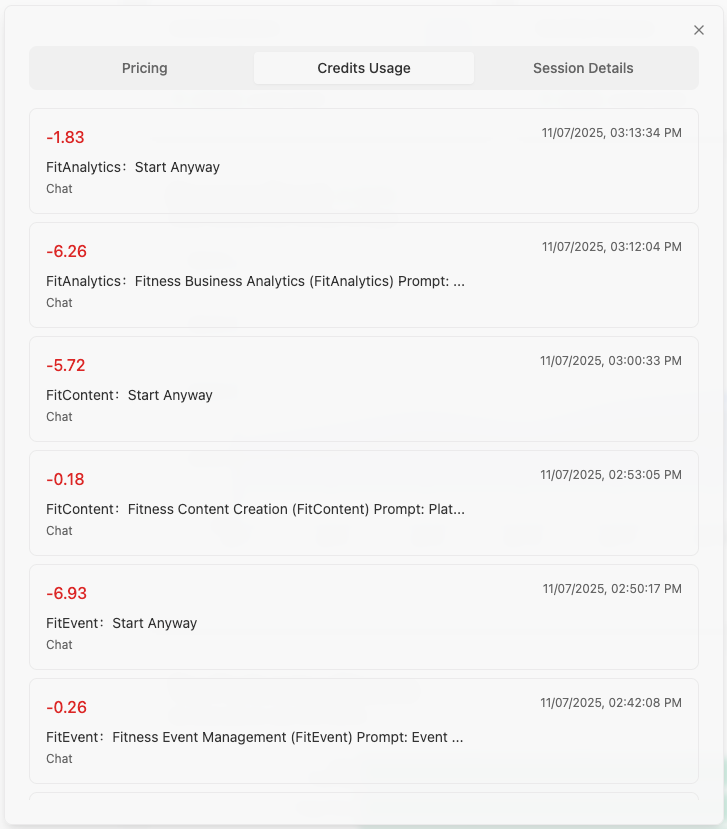
In the Account Information page, you can access detailed billing information for your Credits usage:Credits Usage
The Credits Usage section provides a comprehensive breakdown of your Credits usage, including:- Transaction records: View all Credits transactions with timestamps
- Usage breakdown: See how Credits were consumed across different features (including plugins such as superun Cloud, superun AI, Stripe, Nano Banana, etc.)
- Balance history: Monitor your Credits balance changes over time
Session Details
The Session Details section shows detailed information about your AI conversations and interactions:- Session records: View all AI conversation sessions with timestamps
- Credits consumption per session: See how many Credits were used in each conversation
- Model usage: Track which AI models were used in each session
- Feature usage: Monitor Credits consumption for different features and operations
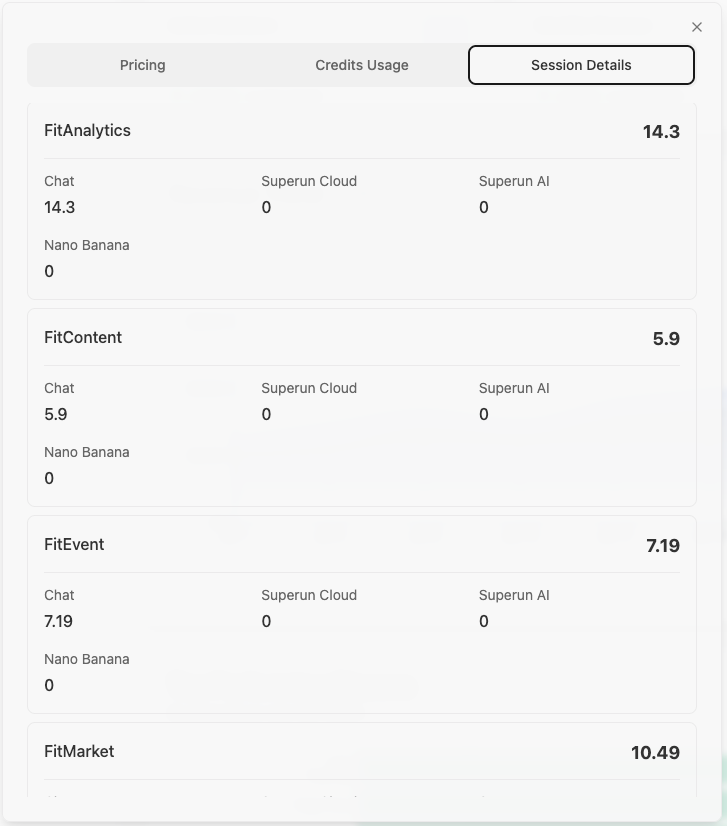 You can filter and search through both consumption and session details to analyze your usage patterns and optimize your Credits spending.
How Credits Work
superun uses Credits as a unified usage metric across features.Instead of separate AI or feature-specific bills, you simply consume Credits from your project balance. Credits may be used for:
- Running AI-powered conversations and flows
- Generating or regenerating interfaces and branches
- Performing certain resource-intensive operations (as indicated in the UI)
- Using plugins and integrations (such as superun Cloud, superun AI, Stripe, Nano Banana, etc.), which convert their usage into Credits and deduct from your project balance
Invite Friends and Earn Credits
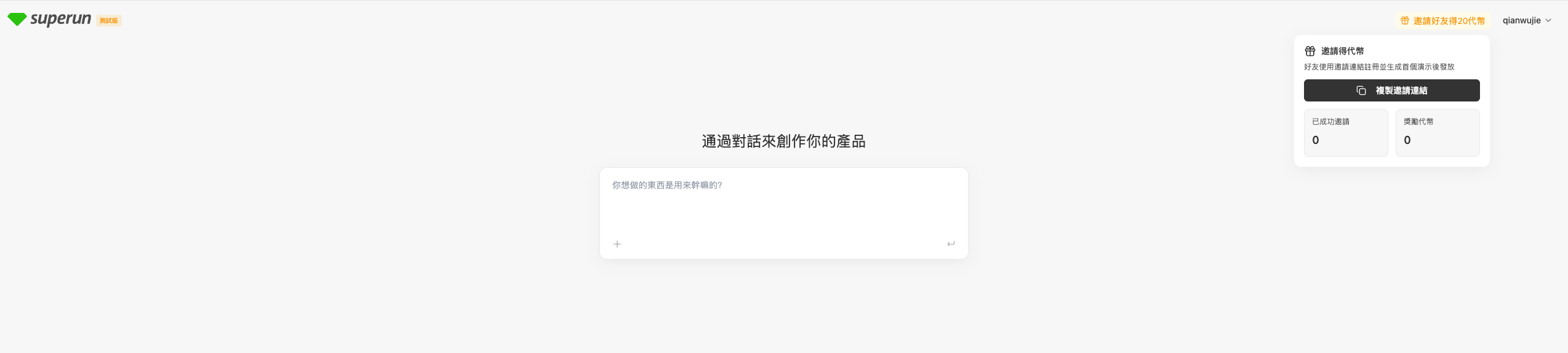
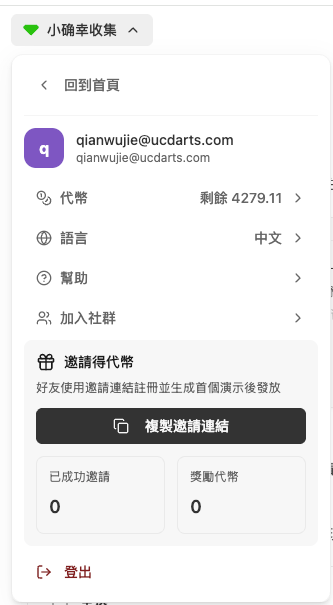
You can earn 20 Credits by inviting friends to superun. Here’s how it works:- Get your invite link: Find your unique invite link in your account settings or on the homepage.
- Share with friends: Send your invite link to friends who want to try superun.
- Friend completes registration: Your friend registers through your invite link.
- Friend completes a demo: Your friend needs to:
- Enter a requirement in superun
- Generate four style options
- Select one style and complete the demo application
- You receive 20 Credits: Once your friend completes the demo, you’ll automatically receive 20 Credits in your account.
Managing Your Plan
- You can upgrade from Free to Pro at any time in the app.
- You can change your Credits tier (e.g., 100 Credits/month and above) as your usage grows.
- You can cancel anytime—there are no setup fees, and payments are handled securely.
Note: The correct support email is [email protected] (note it’s .ai not .com).
Note: The correct support email is [email protected] (note it’s .ai not .com).