01/23/2026
superun — Consultation optimization, domain adaptation, feature tips, and browser compatibility updates
- Consultation feature improvements: Optimized consultation interface and interaction logic for better user consultation experience.
- Domain adaptation: Share and project pages now support displaying superun.ai or superun.com based on the domain, providing more flexible access options.
- Homepage style optimization: Optimized homepage styles with community project descriptions displayed by default, allowing users to better understand project content at a glance.
- Code viewing feature enhancement: Enhanced code viewing functionality with payment access overlay and user payment verification to ensure proper operation of paid features.
- Browser compatibility fixes: Fixed compatibility issues with older browser versions to ensure better browser support.
01/15/2026
superun — Demo features, development tutorials, and UI optimizations
- Demo and tutorial improvements: Optimized demo viewing flow with better guidance messages; tutorial now supports internationalization with skeleton screen loading for images.
- Development tab enhancements: Feature list now supports button groups for more efficient feature selection; build tab automatically polls for updates when feature list is empty.
- Mobile and responsive design: Improved responsive design for mobile devices with better card container width and image sizing; added top banner prompt for mobile access.
- Error handling and stability: Improved session error handling with rollback support; enhanced branch switching error handling with user feedback.
12/31/2025
superun — Temporary chat, style selection, and homepage experience improvements
- Temporary chat: Added temporary chat window that opens when clicking the input field during the generation of 4 styles, enabling free interaction with the AI consultant with full message sending, receiving, and rendering capabilities.
- Style selection and preview experience improvements: Automatically switches to dual-column mode after the first branch (style) is generated; conversation flow now includes style selection guidance; navigation buttons added between A, B, C, D styles in the branch grid view; 4-choice styles now use borders instead of checkboxes with thinner borders for selected states; theme switching moved to the bottom of the right-side preview view; theme application confirmation added with regeneration warnings and multilingual translations to prevent accidental operations; added “Still generating?” button to check conversation status and better understand generation progress.
- Homepage redesign: After submitting a request, users are immediately redirected to the project page with a temporary transition dialog displayed prominently in the center of the screen for a smoother experience.
- superun Storage plugin registration added, enhancing storage integration with credit checks and updated Cloudflare R2 configuration.
12/18/2025
superun — Unpublish control, AI upgrades, localization, and media support
- Project unpublish control: published projects can now be taken offline anytime from Launch → Publish, without deleting the project.
- Smarter Stop control across Chat, Ideas, Auto Fix, and Plugins, with clearer state locking during multi-step generation to prevent unintended background runs.
- Improved Chat Mode responses: refined reply logic for clearer, more stable, and less over-generated AI conversations.
- Nano Banana model support added, enabling faster and more cost-efficient generation for lightweight use cases.
- Gemini-powered translation is now live inside superun’s chat flow.
- Localization expanded: full UI language packs added for Japanese and Korean users.
- Google OAuth now supports multiple apps, making multi-project and multi-environment setups easier to manage.
- Payments now support Alipay, with available methods dynamically driven by backend currency configuration.
- Frontend media support enhanced: users can now upload videos and other files directly in the frontend, with a maximum file size of 100MB.
12/4/2025
superun — Preview regeneration, stability fixes, and login enhancements
- Preview regeneration flow: users can now re-generate any single preview card in the 4-style selection step, refreshing one style without restarting the entire preview round.
- Flexible branch switching: users can return to the 4-style selection at any time to choose a different branch, even after building or modifying their project.
- Generation stability & clearer fallback messages: when a generation process stops unexpectedly, superun now shows a clear inline error above the input box and merges repeated thought-process messages for a cleaner flow.
- WeChat Login added: superun now supports WeChat Login, making sign-in easier for users who prefer using WeChat.
- Preview & style polish: improved mobile/desktop preview containers, unified layout spacing, and removal of outdated highlight borders from Build / Launch buttons.
- Plugin & autofix improvements: Secret forms now support “Skip”, with updated field validation and stronger detection of business_type to prevent free-type mapping errors.
11/26/2025
superun — Conversations, localization, and PRD improvements
- Smarter conversation flow: unified auto-scrolling across message streams with prioritized, less intrusive tips during clarification and branch flows.
- Expanded localization: full Traditional Chinese UI and policy pages, improved language detection, and language switching between English and Traditional Chinese.
- Visual & SEO polish: forced light mode for consistent visuals, better SEO image uploads, and clearer DOM edit / image uploader tooltips.
- PRD & data tools: guided PRD question flow plus a new in-product SQL editor for exploring and managing your data directly in superun.
- Message queue clarity: refined message queue behavior and Feature List loading to prevent duplicate submissions and clearly show when operations are in progress.
11/20/2025
superun — Design Options & Plugin Management
- Design Options: Added new design options feature. AI can now generate multiple design options, each with preview images. Selected options can be applied to the project with one click
- Plugin Secret Management: Stripe plugin now supports secret visibility toggle for improved security
- Design Options State Optimization: Improved state handling for design option creation, selection, preview, and continuation
- Message Experience: Updated design options tip messages for a clearer workflow
- UI Adaptation: Enhanced design option card preview behavior and improved interactions when panels are collapsed
- Requirement Clarification: Any user reply during requirement clarification now correctly triggers the design options flow
11/11/2025
superun — Project Refactoring & Feature Enhancements
- New Project Architecture: Refactored project page with new Tabs architecture for better performance, clearer structure, and smoother experience
- Enhanced Sharing: Added social sharing buttons to publish success dialog for one-click sharing across platforms
- Feature List Management: New feature list in Build Tab to select and execute features with one click for more efficient development
- Task Execution Protection: Automatically prevents submitting new tasks when selected tasks are still running to avoid conflicts
- Idea Management Enhancement: Idea Tab shows badge notifications; when new ideas are available, an “Apply” banner lets you apply updates to your project directly (no tab navigation)
- SQL Editor Upgrade: Added schema support for more accurate AI-generated SQL and easier database operations
- SEO File Management: New visual SEO file generation to centrally manage website addresses and information without manual code editing
- Visual Editing Enhancement: DOM editing uses separate highlight layer to avoid style interference for smoother editing experience
- Animation Optimization: Improved transition animations on Home and Generation pages for more natural input state switching
- Message Experience: Auto-loads message history with smart filtering to keep only the latest requirements clarification messages
10/22/2025
superun — AI Features Launch
- Multiple AI models: GPT-5, Gemini 2.5 series, and Claude integration with no API keys required
- Smart content generation: Auto-generate blog posts, product descriptions, and marketing copy
- Intelligent forms: Create forms with auto-completion, validation, and smart suggestions
- Chatbot integration: Build conversational interfaces with context understanding
- Content analysis: Analyze user feedback and behavior patterns for insights
superun — Project Publishing
- One-click deployment: Complete workflow from build to production
- Status monitoring: Real-time tracking of build progress and deployment health
- Version control: Multi-version publishing with easy rollback capabilities
- Environment management: Support for dev, staging, and production environments
10/18/2025
superun — Dual mode support and mobile optimization
- Dual mode support: switch between chat mode and execution mode for different interaction scenarios
- Google Lighthouse integration: comprehensive performance monitoring with page performance, accessibility, best practices, and SEO evaluation, plus detailed optimization recommendations
- Custom domain: set up dedicated domains for your projects with professional sharing links
- Touch interaction improvements: fixed scrolling issues on tablets and mobile devices for smoother operation
- Layout adaptation optimization: better display accuracy across different mobile devices and improved readability on small screens
10/09/2025
superun — Pricing and referral program
- Early bird pricing with special discounts for early adopters
- Referral program: earn revenue by sharing superun with others
09/24/2025
superun — Visual editing mode
- Click and edit elements directly on the page for intuitive visual editing
- AI-powered real-time code modifications in visual editing mode
- Smart mode switching: automatically switch to the best editing mode for your task
- User feedback system to help us continuously improve the platform
09/18/2025
superun — Data and Supabase enhancements
- Manual confirmation for DB changes: when executing database modifications via Supabase, the system now asks for explicit confirmation to prevent accidental or unauthorized changes.
- Support for Supabase Edge Functions: deploy and run high‑performance, low‑latency server code within the platform.
- Configure Supabase service keys in chat: set and manage service keys directly in the chat interface for a faster setup.
09/12/2025
superun — Brand and domain update
- Glow has officially rebranded to superun.
- New domain: https://superun.ai
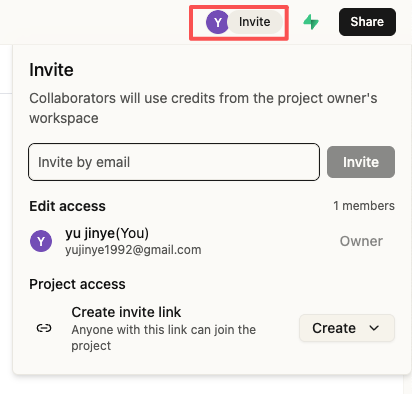
superun — Invite project members for collaborative building
- New conversation member management
- Search members, generate invite links, and change member permissions
superun — Improved permission controls
- Restrict Supabase connection actions by user role
- Control share‑button options by role and status
- Members without edit permissions can’t edit code
superun — Visual consistency and interaction polish
- Unified component visuals and spacing; refined hover/active/focus states
- Smoother scrolling and transitions
09/10/2025
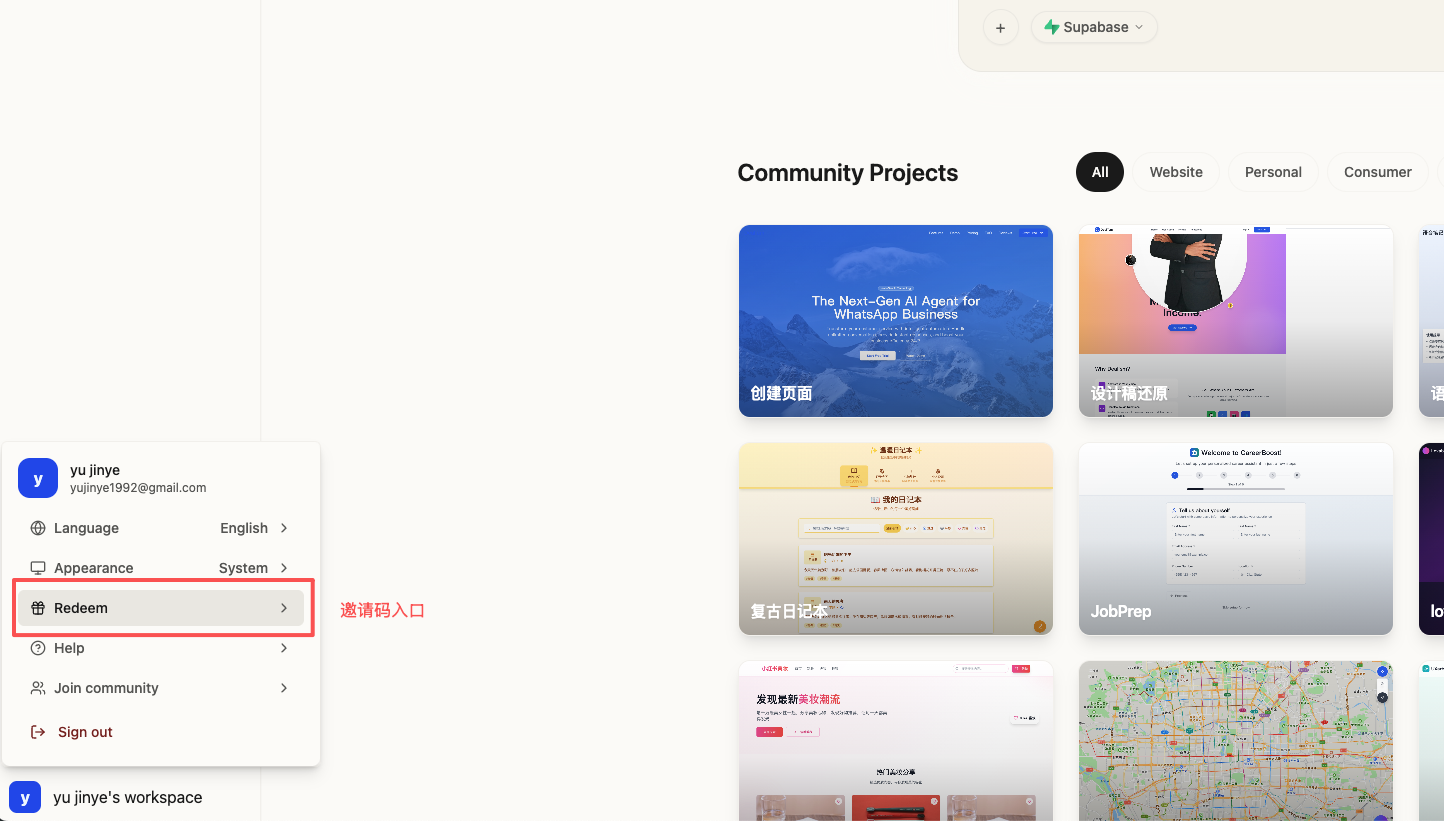
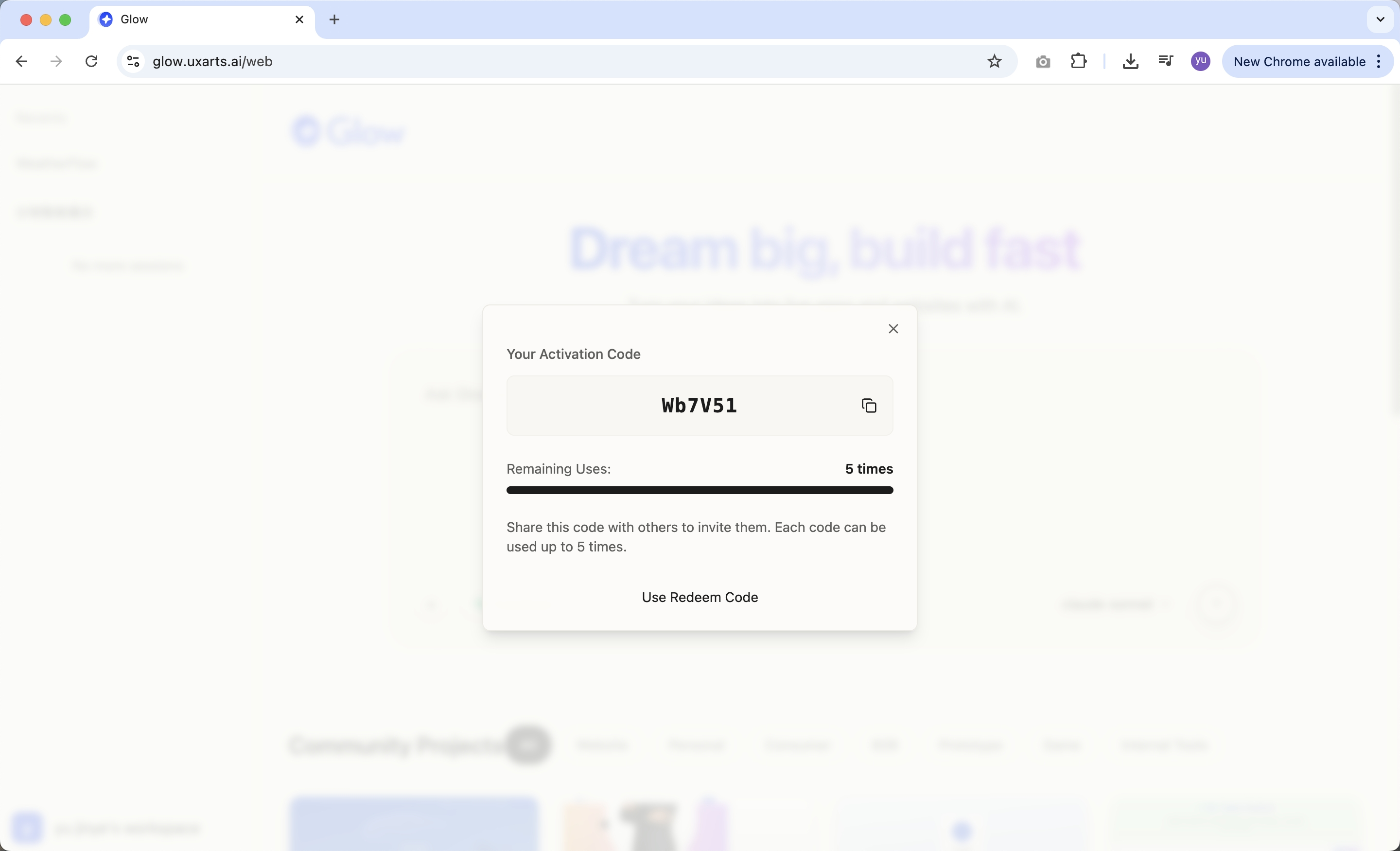
Glow — Invite code generation and sharing
- One invite code per seed user; each code invites up to 5 new users
- Real‑time dashboard for usage and remaining invites
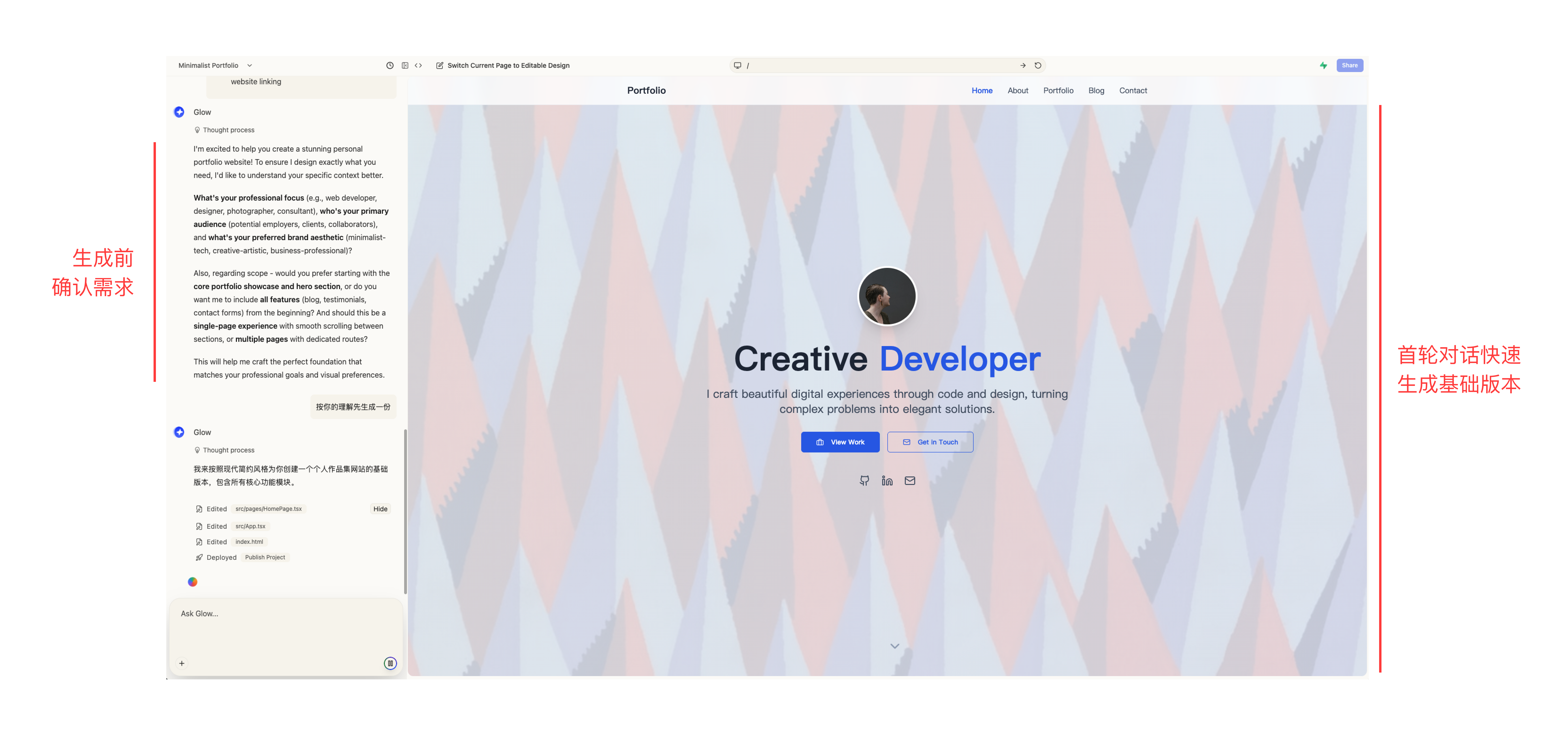
Glow — Pre‑confirmation and staged generation for precise, controlled pages
- Confirm requirements before generation to improve accuracy
- Quickly generate a base version in the first round to set direction fast
Glow — Password reset via email
- Reset passwords via email verification when forgotten
09/08/2025
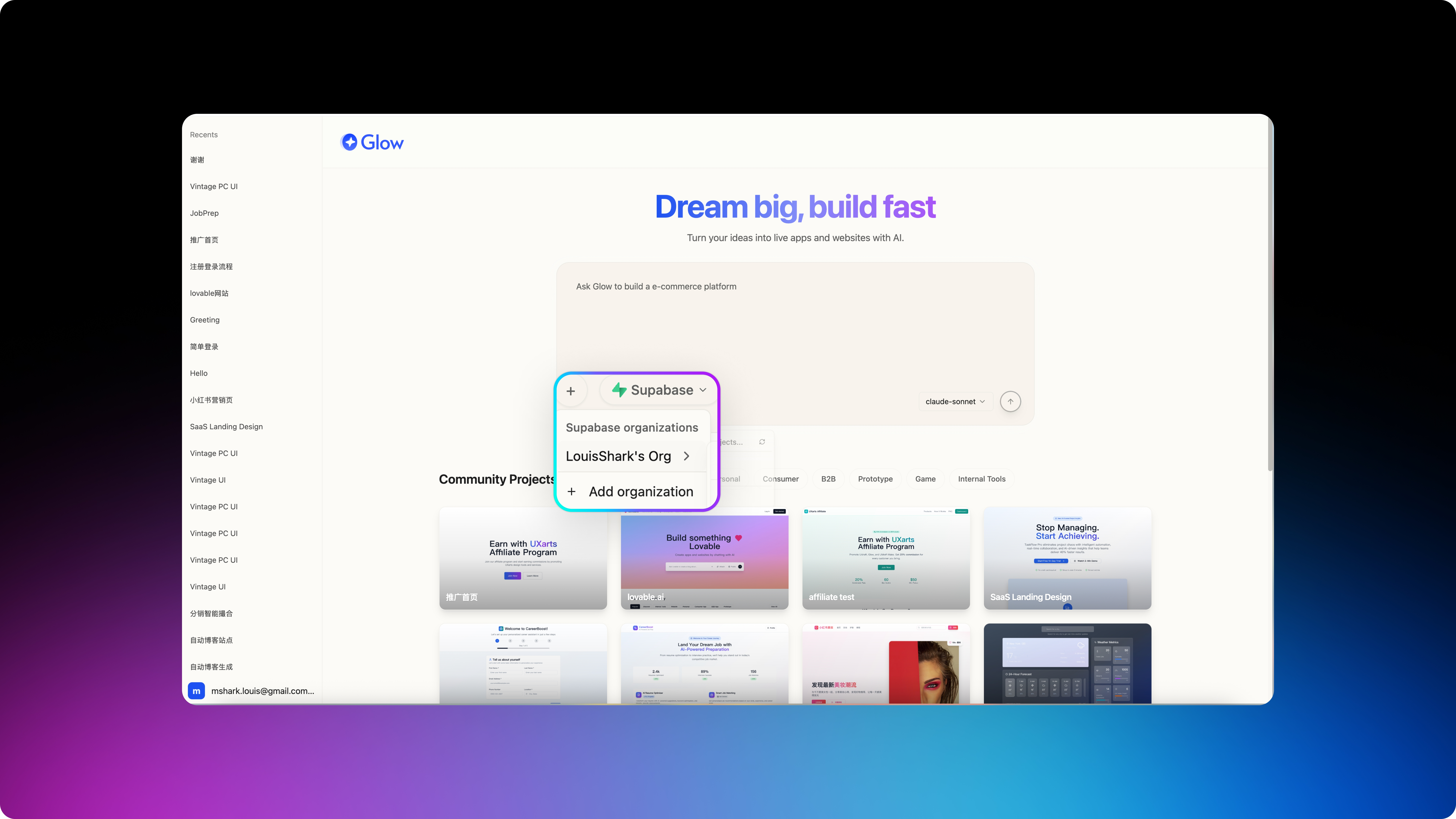
Glow — Full Supabase integration
- Smart connection management: auto‑detect and one‑click reconnect
- Live database status monitoring
- Complete backend API development tools
- Comprehensive database query and management
- Simplified third‑party login setup
- Unified management of frontend + backend + database in one platform
Glow — Faster, smoother prototype editing
- Smoother interactions
- Smarter feedback and status cues
- Cleaner interface with less distraction
- Every click, drag, and edit now feels more natural
Glow — Version management is live
- Automatic version history
- Easy version previews
- One‑click restore to any previous version
- Experiment freely — you can always return to a stable state